 Available on the Chrome Web Store
Pick your groups in WhatsApp Web and download a spreadsheet with each person's name, number and a link to message them. In seconds, without copying anything by hand.
Free plan, no sign-up · Chrome on Windows, Mac and Linux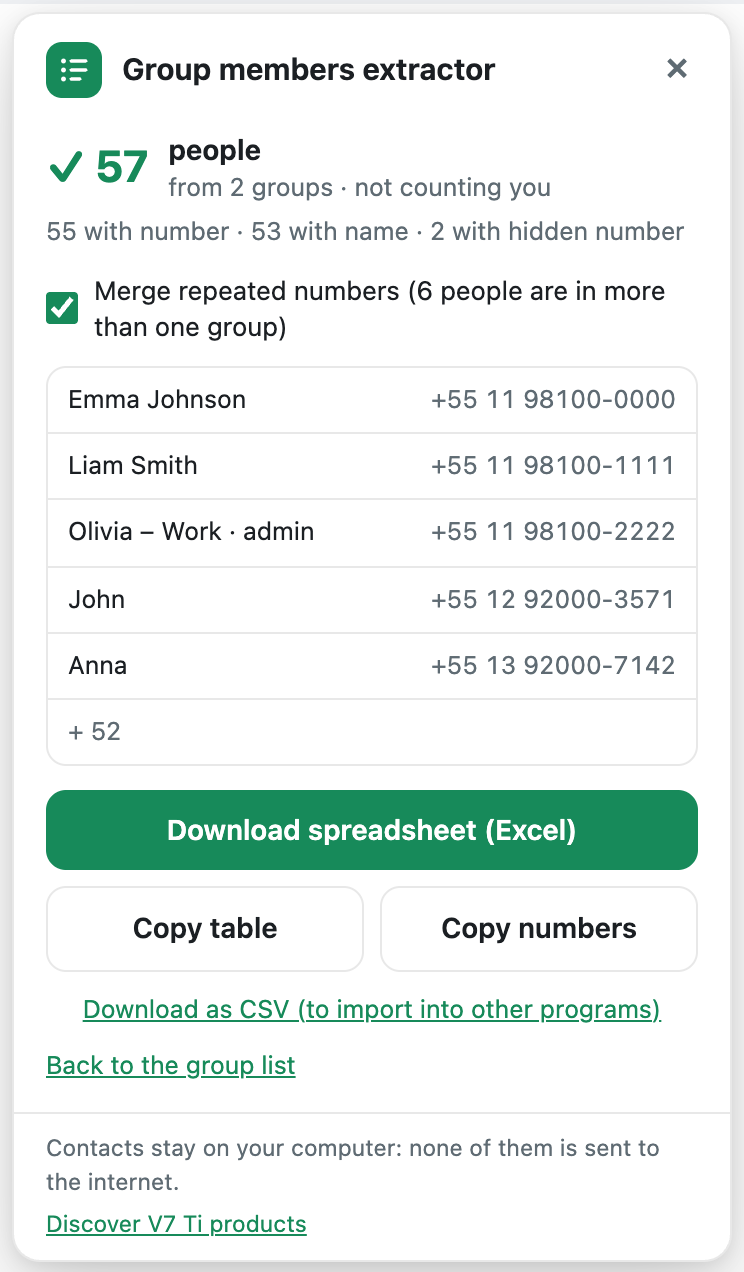
Three clicks, right in the WhatsApp Web you already use. Nothing to install on your phone.
Click the extension's green icon. The panel opens with the list of your groups.
One, several or all of them. Search ignores accents, and communities bring in their groups.
Excel with clickable links, or CSV for your CRM. You can also copy and paste.
(Video in Portuguese. The extension itself is available in English.)
| Groups | Name | Number | WhatsApp link |
| VIP Clients, Launch | Ann Smith | 1 2025 5501 43 | wa.me/12025550143 |
| VIP Clients | Ben Carter | 44 7700 9001 23 | wa.me/447700900123 |
| Launch | Carla Reis | 55 11 98100-2222 | wa.me/5511981002222 |
| VIP Clients | Diego Martin | 61 4123 4567 8 | wa.me/61412345678 |
| Launch | Emma Lopez | 52 5512 3456 78 | wa.me/525512345678 |
Start for free. When you want it without limits, subscribe — on your own or with your team.
From 2 people — price per person
Free plan: 2 groups at a time and the first 15 contacts with a number from each group, no sign-up. Payment by PayPal (card or PayPal balance); the annual plan is charged once a year. Have a coupon? Use it when you subscribe.
The spreadsheet is built on your computer. No contact, message or group is sent over the internet — not even to us. The extension only talks to our server to check your subscription (your email and a browser code). Privacy policy.
Published on the Chrome Web Store, reviewed by Google, with automatic updates. Developed by V7Ti, from Dois Irmãos, Brazil — with real support by email and WhatsApp.
No. The extension works in Google Chrome on a computer (Windows, Mac or Linux), together with WhatsApp Web. It also works in Edge, Brave and Opera.
WhatsApp hides the number of people who are not in your contacts. That is WhatsApp's own rule, and no tool can get around it. The panel shows how many came with and without a number before you download — test it on the free plan with your own groups.
Each license works on 1 computer (each Chrome profile counts as one). Changed computers? You get 1 switch every 6 months, and support helps in special cases. For more people, use the group plan: each person activates with their own email.
After subscribing, open the extension, click "Activate subscription", type the email you used to buy and confirm the code we send to it. Done.
Yes, whenever you want: just ask by email or WhatsApp. On the monthly plan, the extension stays unlocked until the end of the month you already paid for. The annual plan is valid for the 12 months you paid for.
The extension only reads what your WhatsApp Web already shows and does not send messages. What can lead to a ban is sending bulk messages to people who don't expect them — use the contacts responsibly, and remember that data protection laws (such as GDPR) usually require consent for commercial use.
By PayPal, with a credit or debit card or your PayPal balance. The monthly plan is charged every month and the annual plan once a year. Your card details are entered on PayPal, never on our pages.
Install it on Chrome, open WhatsApp Web and download your first spreadsheet in less than a minute.